Screenshots illustrate the interface. Check the current catalogue, rather than the images, for pack names, prices and access conditions.
This guide describes the Windows version. OverLeX Mobile 1.0.2 for Android 12+ has its own interface and supports up to 5 active words; not every Desktop feature is available on mobile.
1. Choose a pack
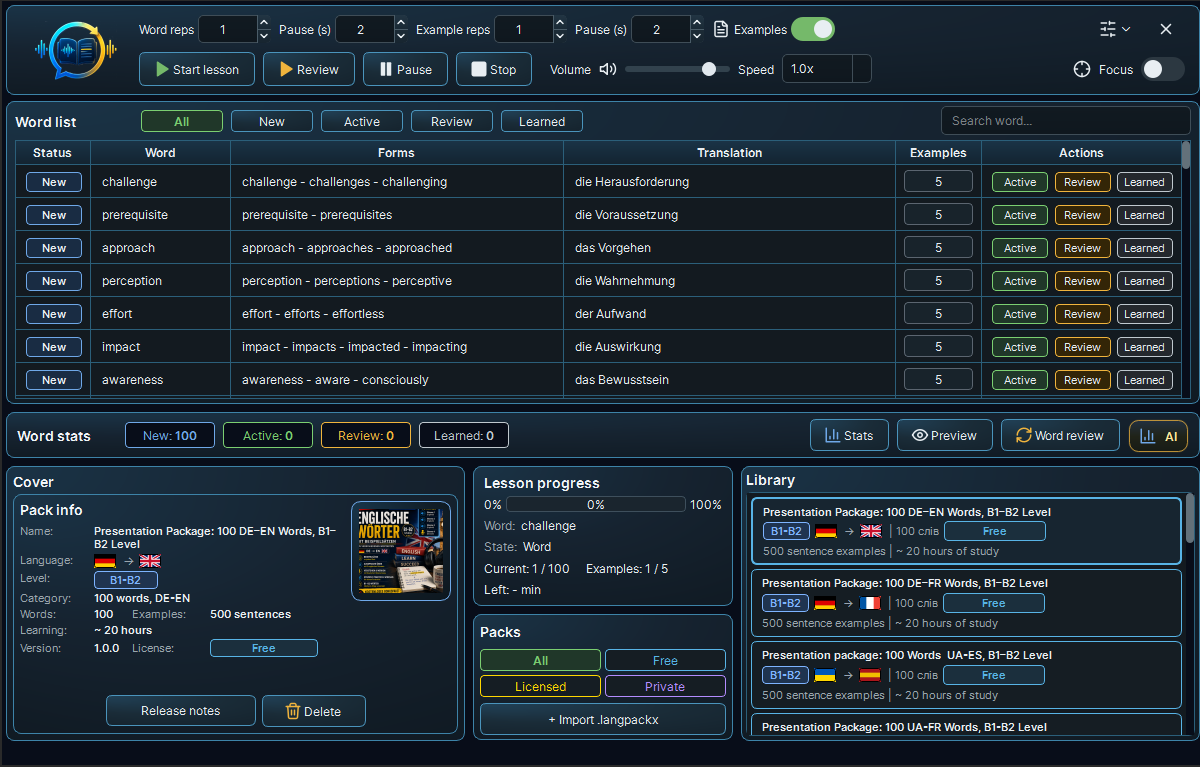
The Desktop download includes two free starter micro packs. Select a pack on the right to view its words, translation direction and details.
Download additional packs from the website catalogue. Use the library import button to open a .langpackx file. Free-key packs need no License ID; licensed packs require activation.
Figure 1 — Choosing a pack in the library · Open full size
2. Select active words
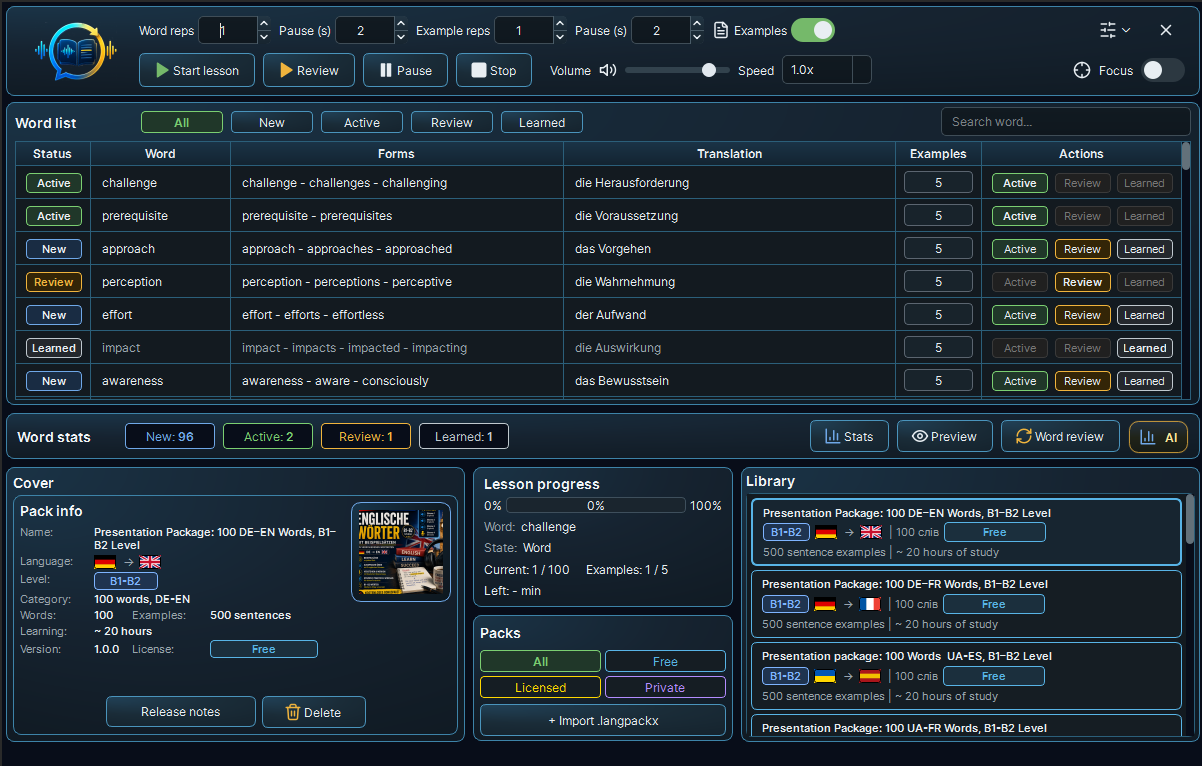
Select a small group of words and mark them as active for your lesson. Start with a few words and increase the workload gradually.
New, Active, Review and Learned statuses separate new material from revision. The word list also shows translations, forms and available examples.
Figure 2 — Active words and lesson settings · Open full size
3. Adjust lesson settings
Adjust word and example repetitions, pauses, volume and speed. Sentence examples can be enabled or disabled separately.
Try a slow pace with enough time to repeat aloud. Adapt pauses to the length of the sentences, not just the number of words.
4. Start listening
Start the lesson. OverLeX plays the word, forms, translation and enabled examples according to your settings.
Pause, stop or move between words as needed. Use the separate review action for words marked for review, and update word statuses as you learn.
5. Use Focus mode
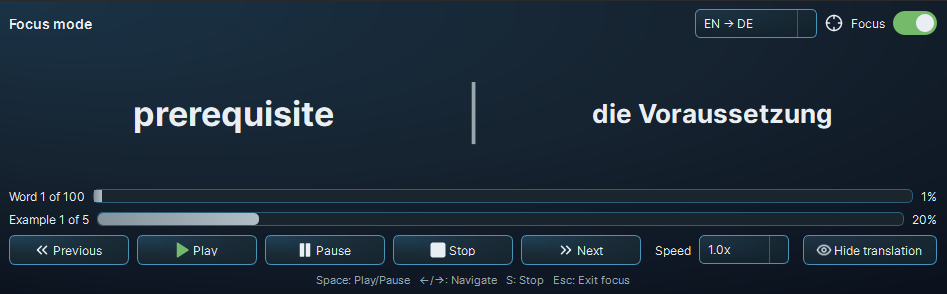
Focus mode displays a large word, its translation, progress and essential playback controls.
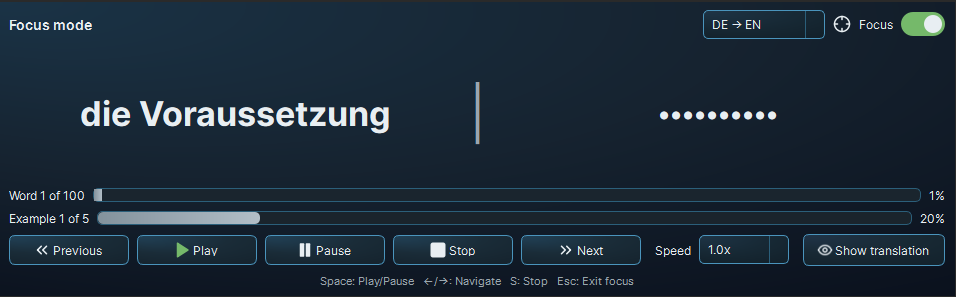
Hide the translation to practise recall. Control playback, move between words and adjust speed without returning to the main window.
Figure 3 — Focus mode · Open full sizeFigure 10 — Alternative Focus mode view · Open full size
6. Activate or refresh your license
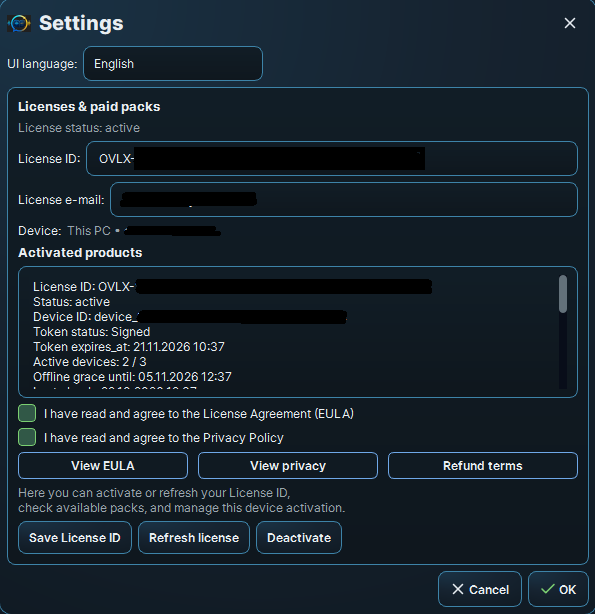
To request a license, open the catalogue and choose “License: contact the author”. Online checkout is temporarily disconnected. The author issues a License ID and confirms the license email with you.
In Settings, enter that License ID and the matching email. Read the EULA and Privacy Policy, confirm your agreement and save the License ID. Activation requires internet access.
If another pack has been added to your existing license, choose “Refresh license” and check Activated products. You usually do not need a new License ID. Check your license status for its device limit and offline period. Do not share your License ID.
Figure 4 — License settings and activated products · Open full size
7. Create a profile
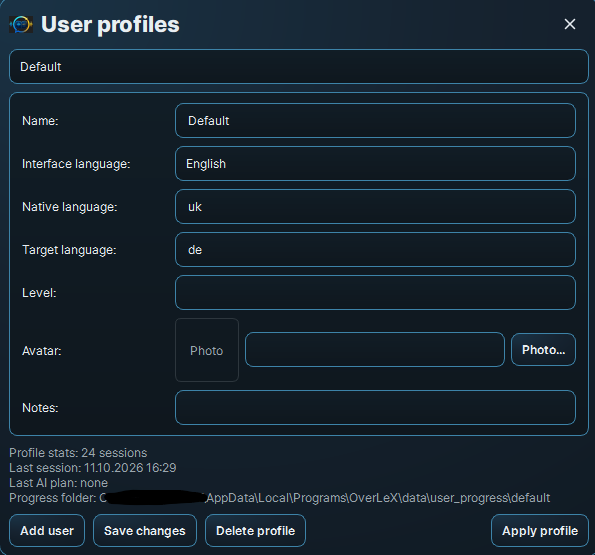
Profiles keep different users or learning goals separate. Select the appropriate profile before starting a lesson.
Each profile has its own local progress, word statuses, settings and learning history. A learning profile is separate from the license granting access to a pack.
Figure 5 — User profiles · Open full size
8. Review progress and reports
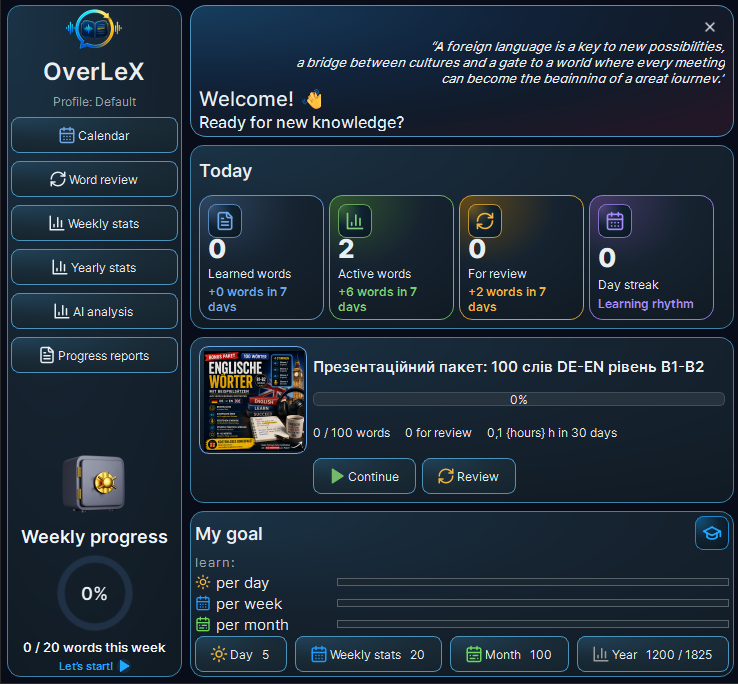
The dashboard shows learning activity, pack progress, active and learned words. Switch time periods and set your own learning goals.
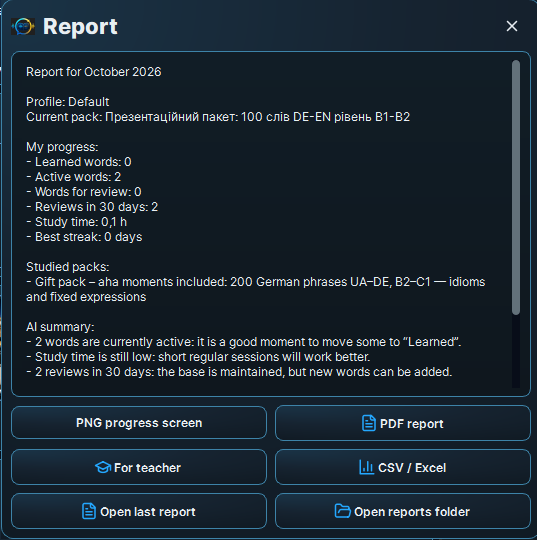
Open reports for details and use the available export controls. Learning data is stored locally, so back up your profiles before reinstalling your system.
Figure 9 — Dashboard, statistics and learning goals · Open full sizeFigure 6 — Progress report and export · Open full size
9. Use OverLeX AI
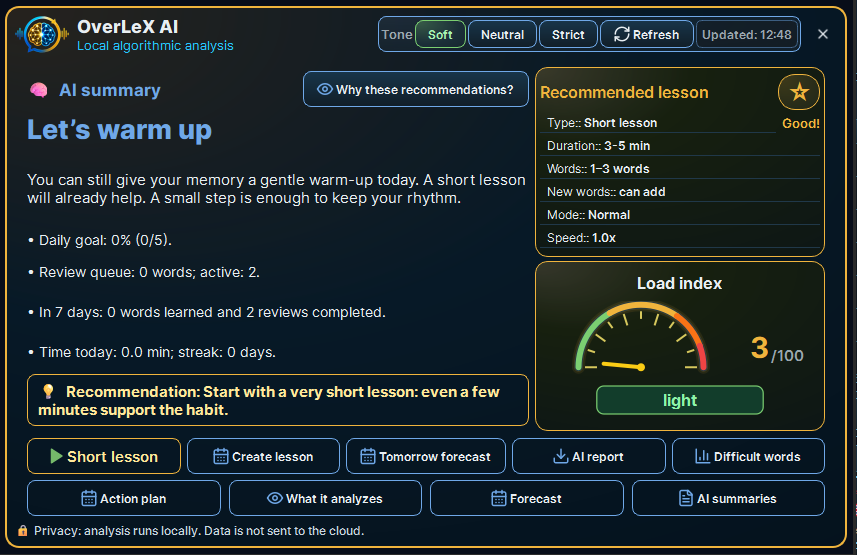
The smart assistant analyses local progress, workload and difficult words to suggest practical next steps.
Use its recommendations to plan a lesson or review session. This is local Desktop analysis, not a cloud AI API chat or a guarantee of learning speed.
Figure 7 — OverLeX AI: smart assistant · Open full size
10. Explore sentence examples
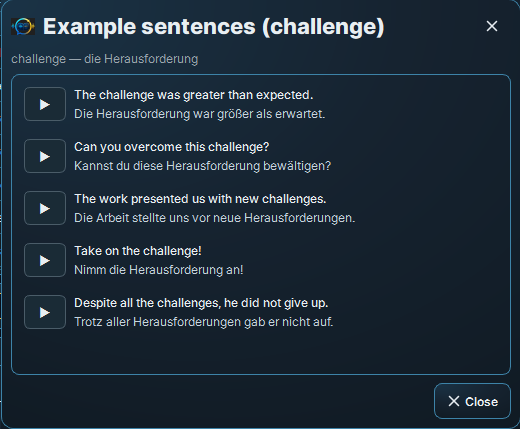
Open the selected word’s examples to see sentences, translations and usage in context.
Listen before revealing the translation, try to understand the sentence and repeat it aloud. The number of examples and voices depends on the pack.
Figure 8 — Sentence examples for a word · Open full size